de
de en
en ru
ruAdjustment of the dimensions of a product in relation to its length and height
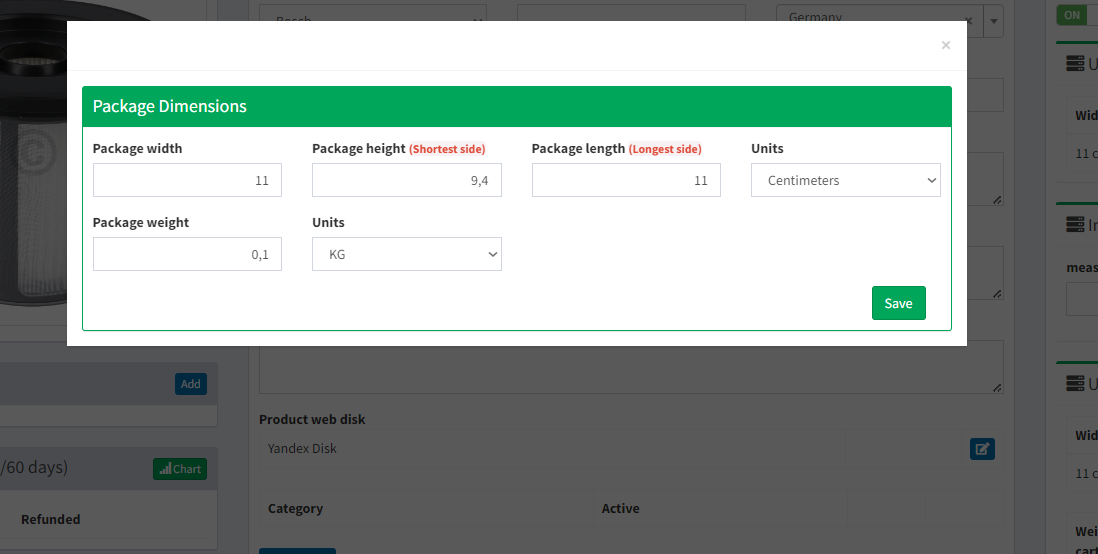
The AUTO_ADJUSTMENT_PRODUCT_DIMENSIONS setting automatically adjusts the dimensions of a product, where Package Height is the shortest side of the product package and Package Length is the longest length.
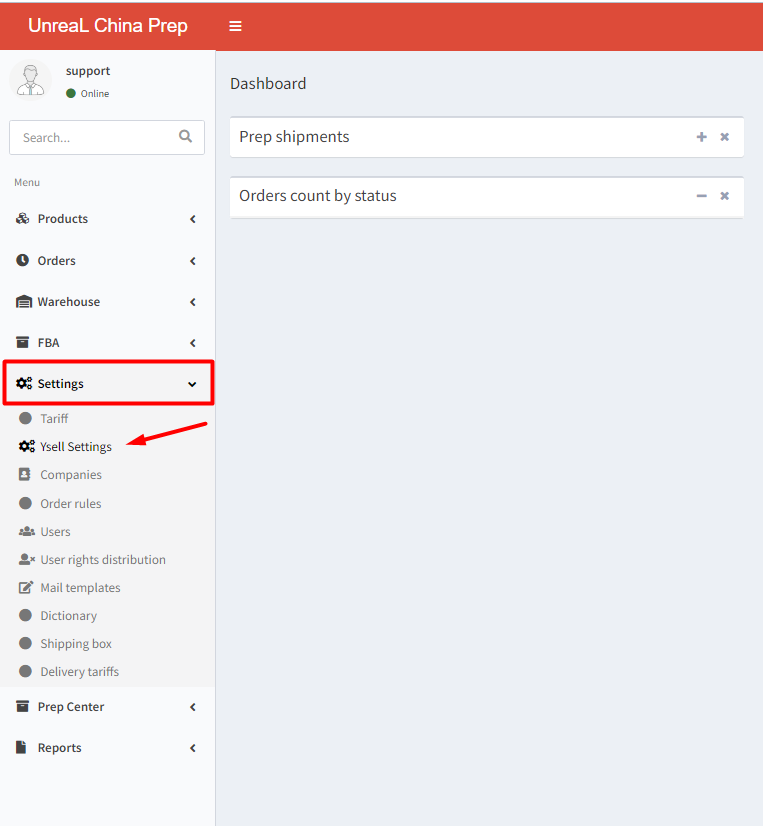
In order to activate the setting go to Settings - Ysell Settings.
Search for the setting AUTO_ADJUSTMENT_PRODUCT_DIMENSIONS. Activate the setting by clicking Toggle.
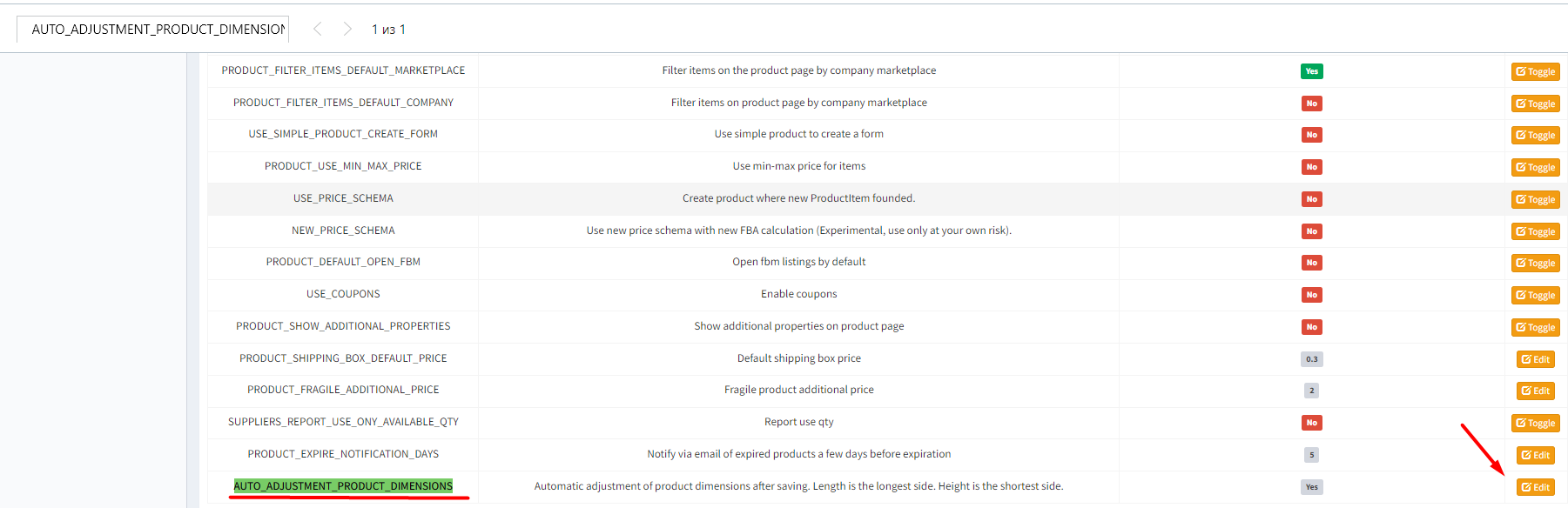
When *AUTO_ADJUSTMENT_PRODUCT_DIMENSIONS** is turned on, the system automatically adjusts the dimensions of your product's packaging by selecting length as the longest side and height as the shortest side.